
How to Build a Professional Client Handover PDF Pack
By the PDFPUMA team · Published · 1 min read
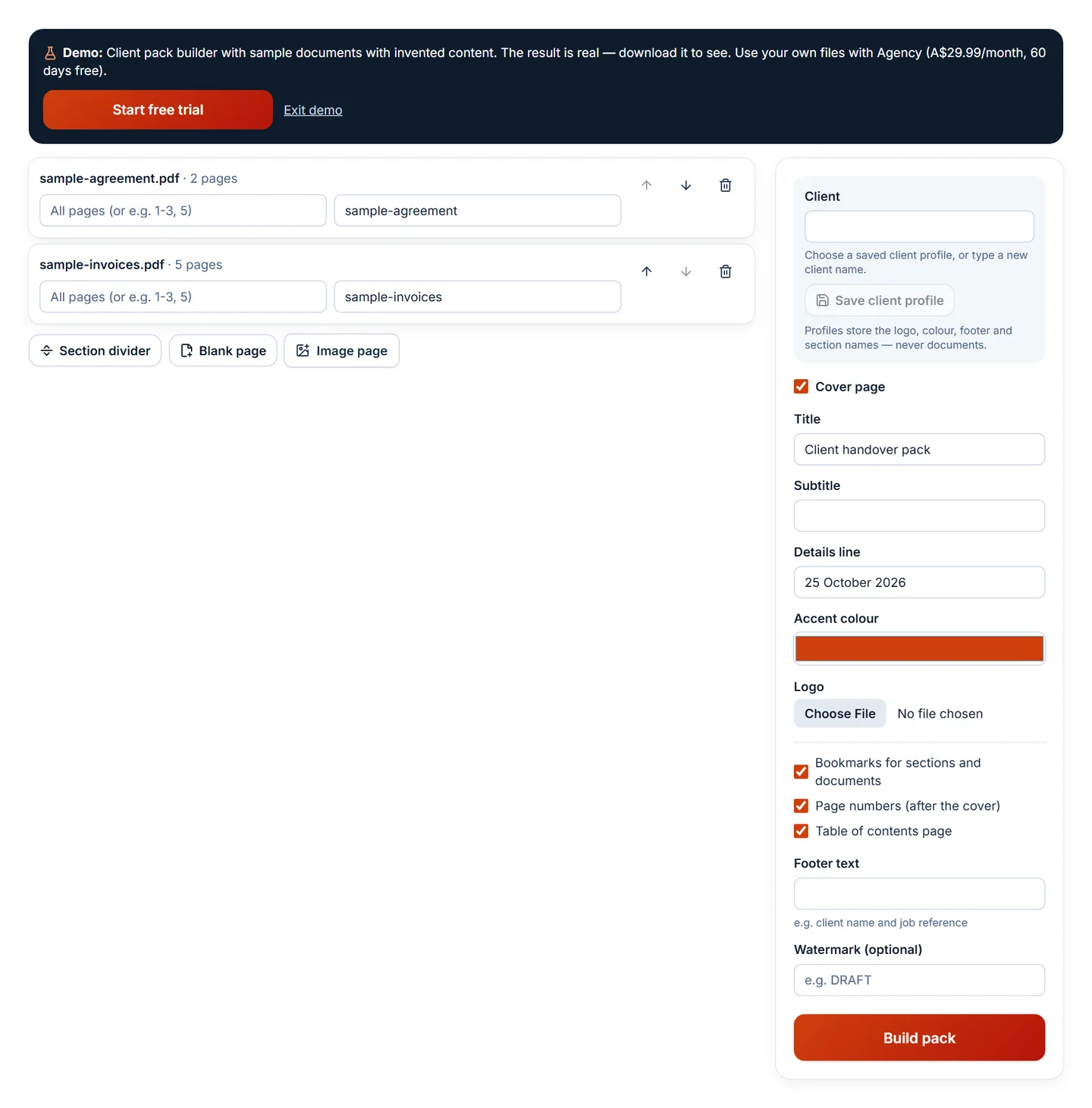
Use the Client pack builder: choose or create a client profile (logo, colour, footer), add sections such as Certificates and Reports, drop the PDFs and photos under each section, and build. You get one PDF with a branded cover, a contents page with page numbers, bookmarks for every section and document, and page numbers.
What a good handover pack contains
- A cover with the client's name, the property or project, and your logo.
- A contents page, so the client can find the warranty in seconds.
- Clear sections — for example Certificates, Inspection reports, Warranties and manuals, Photos.
- Bookmarks, so the sections appear in the PDF reader's sidebar.
- Page numbers and a footer with the job reference.
The same structure works for construction compliance packs, accounting year-end packs, onboarding packs and proposals.
Build a pack step by step
- Open the Client pack builder.
- Type the client's name. Upload their logo (or yours), choose an accent colour and a footer such as "Acme Property · Job 2026-114", then Save client profile.
- Add section dividers and name them.
- Add your PDFs and images. Move each one under the right section, choose pages if you only need some, and give each a label — labels become bookmarks and contents entries.
- Keep Table of contents, Bookmarks and Page numbers on, then Build pack.
Make the next pack take a minute
Client profiles keep the logo, colour, footer and your section names. Next time, type the client's name, and the sections appear ready for new files. Profiles store settings only — PDFPUMA never stores your documents.
No logo or contents page needed? Starter's Document assembly builds the same kind of document with a cover, sections, blank pages and bookmarks.
Questions
Which plan includes the Client pack builder?
Agency (A$29.99/month, with a 60-day free trial for new subscribers).
How big can a pack be?
Agency handles files up to 1 GB and 500 files per task. If you're emailing the result, run it through Compress PDF.