
How to Sign a PDF Online — Electronic vs Digital Signatures
By the PDFPUMA team · Published · 1 min read
To sign a PDF, open Sign PDF, draw, type or upload your signature, click where it goes and download. That adds a visual electronic signature — an image of your signature on the page. A certificate-based digital signature is different: it cryptographically proves who signed and whether the file changed afterwards. PDFPUMA provides the first, not the second.
Electronic signatures and digital signatures
| Electronic signature (image) | Certificate-based digital signature | |
|---|---|---|
| What it is | A picture of your signature placed on the page | A cryptographic seal tied to a certificate |
| Proves identity? | No — like signing paper and scanning it | Yes, through the certificate issuer |
| Detects later changes? | No | Yes — the signature breaks if the file is edited |
| Typical use | Everyday agreements, forms, approvals | Regulated, high-value or cross-border documents |
Many countries, including Australia, recognise electronic signatures for a wide range of documents, but some documents have special rules — for example certain deeds, wills or statutory declarations, depending on where you are. If you're unsure, ask the person or organisation who needs the signed document what they accept.
Sign a PDF step by step
- Open Sign PDF and add the PDF.
- Create your signature: Draw it with a mouse, finger or stylus, Type your name, or Upload a photo or scan of your signature (a PNG with a transparent background looks best).
- Click the page where it belongs, drag to adjust, and set the size.
- Add a printed name or the date with Name / date if the document asks for them, and use Add to every page for initials.
- Select Apply signature and download.
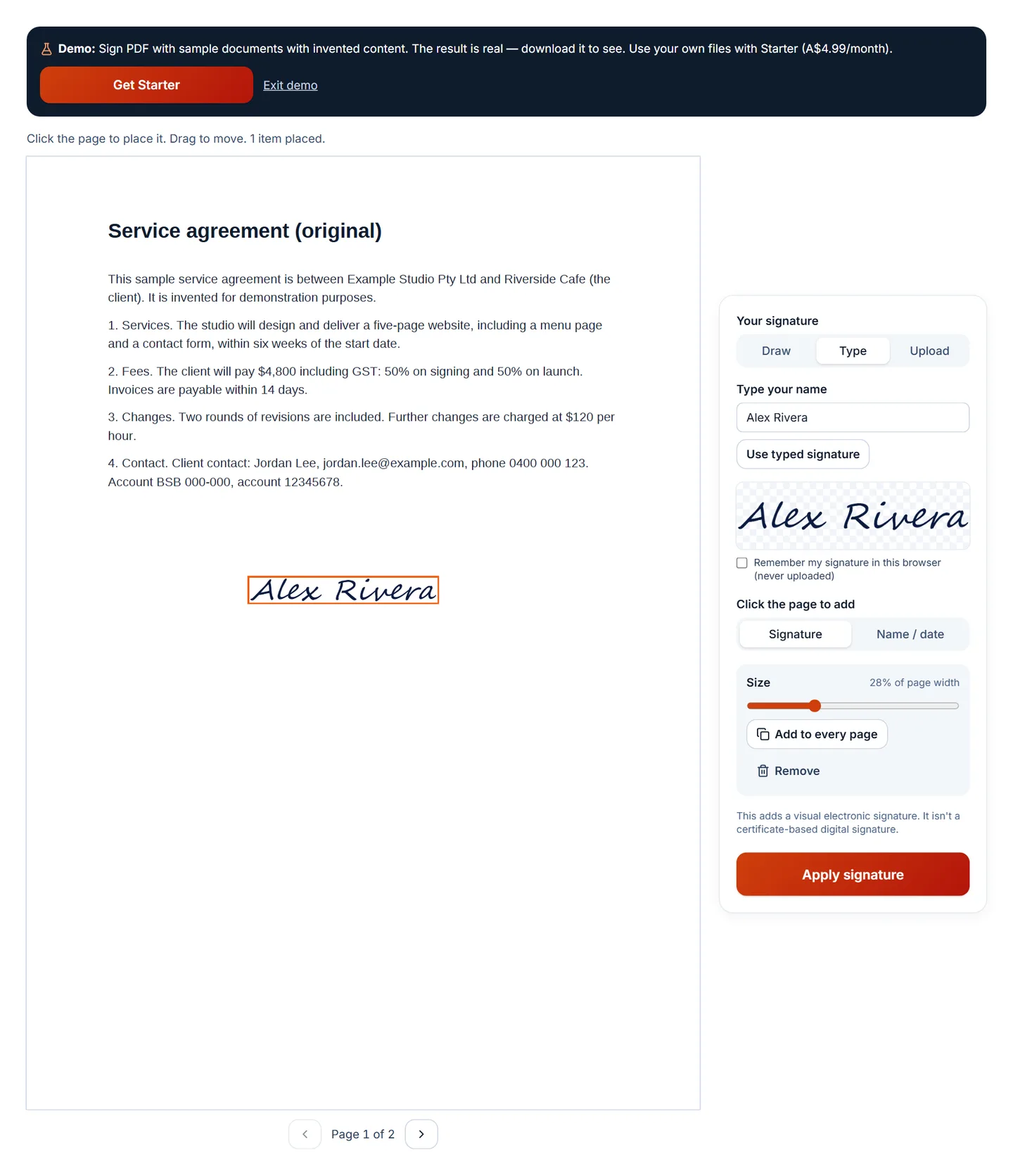
You can choose to remember your signature in this browser for next time. It's kept only on your device and never uploaded.
After signing
If you're sending the signed copy by email, consider password-protecting it with Protect PDF, which uses AES-256 encryption. If you received a revised version to sign, check what changed first with Compare PDF.
Questions
Which plan includes Sign PDF?
Starter (A$4.99/month), Business and Agency.
Does PDFPUMA keep a copy of my signature?
No. If you tick "Remember my signature", it's stored in your browser only, on that device. Untick it to delete it.